Title tag: the page title in HTML and search
The title tag is the HTML title element that names a document. Browsers and other interfaces can use it to identify the page, and search engines can use it when generating a search-result title. It differs from the visible H1 heading and does not guarantee that Google will display exactly the supplied text.
Also known as: SEO title · Meta title
At a glance
- The title element names the document; H1 is its visible main heading.
- Google uses several sources when generating title links.
- Clear page identification matters more than a supposed mandatory character count.
On this page
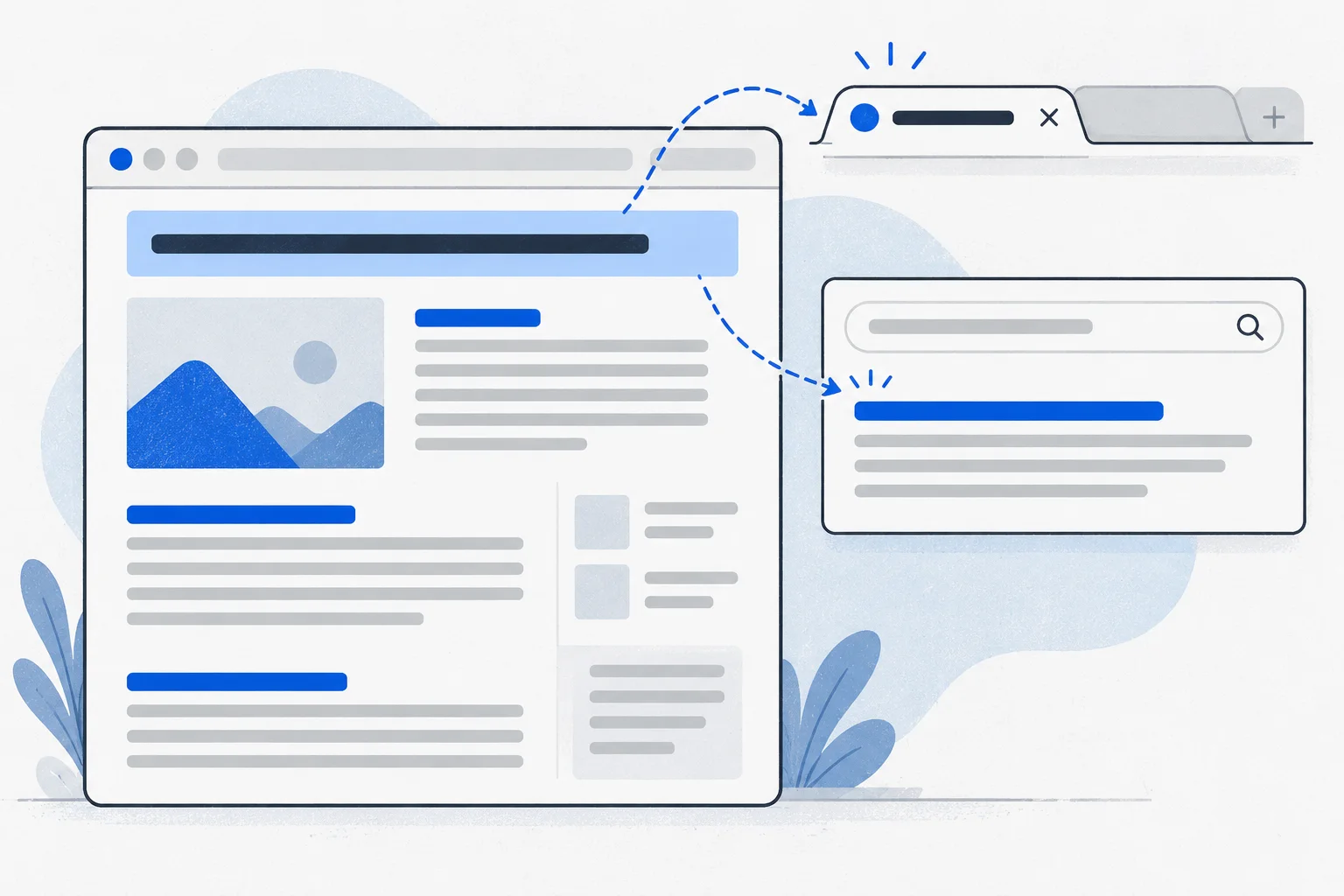
Where the document title appears
The title element belongs in the HTML head, for example:
<title>Bicycle repair appointments in Szeged</title>
People commonly encounter it on browser tabs, in history or as a bookmark name. Content-management systems may call its editing field “SEO title.”
The HTML standard expects the title to identify the document even outside its surrounding content. “Information” may make sense within a website but says little among several open tabs. HTML title element
Do not confuse the document’s title element with a title attribute on a link or image. The latter supplies additional information about an individual element.
Three different roles
| Term | Role |
|---|---|
| Title element | Document name in HTML |
| H1 heading | Main heading visible on the page |
| Search title link | Clickable title generated by the search engine |
Title and H1 may match but need not. A product H1 might be its model name, while the document title includes product type and shop. A meta description is a summary, not a second title.
Meaningful page titles also support orientation and accessibility when switching pages. W3C title technique
A sharing-preview title has another role: the Open Graph og:title field supplies title information for a link preview. It does not replace the HTML title element or lock Google’s search title link. Wording can differ, but each title should accurately describe the same page.
Why Google may display something else
Google can draw on the title element, prominent headings and text, and links pointing to the page. Missing, outdated, inaccurate or repetitive titles can contribute to a different title link. An old year in the title conflicting with current page content should be corrected. Google title guidance
A changed title link does not by itself prove a penalty. First check whether the page’s different titles identify the same content consistently.
Example: a cabinetmaker’s two pages
Imagine a Budaörs cabinetmaker with a fitted-wardrobe service page and a guide to preparing measurements. Giving both the title “Quality custom furniture” obscures their different purposes.
More informative examples are “Fitted wardrobes in Budaörs | Example Workshop” and “What measurements do you need for a wardrobe quote? | Example Workshop.” The fictional workshop name is only illustrative.
The second title promises preparation for an initial discussion, not a replacement for a professional survey. Its wording follows the page’s actual task and search intent.
How long should it be?
Google specifies no mandatory character limit. Display can be shortened to fit available device width. Write a concise, descriptive title; an editor’s preview cannot guarantee the final appearance.
When shortening, remove repetition before removing the model, service or place that distinguishes the page. Unsupported claims remain inappropriate even when they fit.
Verify the published result
For on-page SEO, inspect the final title element, visible H1 and actual content together. A template may alter the saved field. Record the reason and date of a change; Google must process the page again before it can reflect the update.
Do not automatically attribute later click changes to the title. Queries, positions and competing results can change too. A content brief can define the title’s promise; topic cluster titles should distinguish page roles. For evergreen content, avoid an unnecessary date that quickly becomes misleading.