Faceted navigation: why filters can create too many URLs
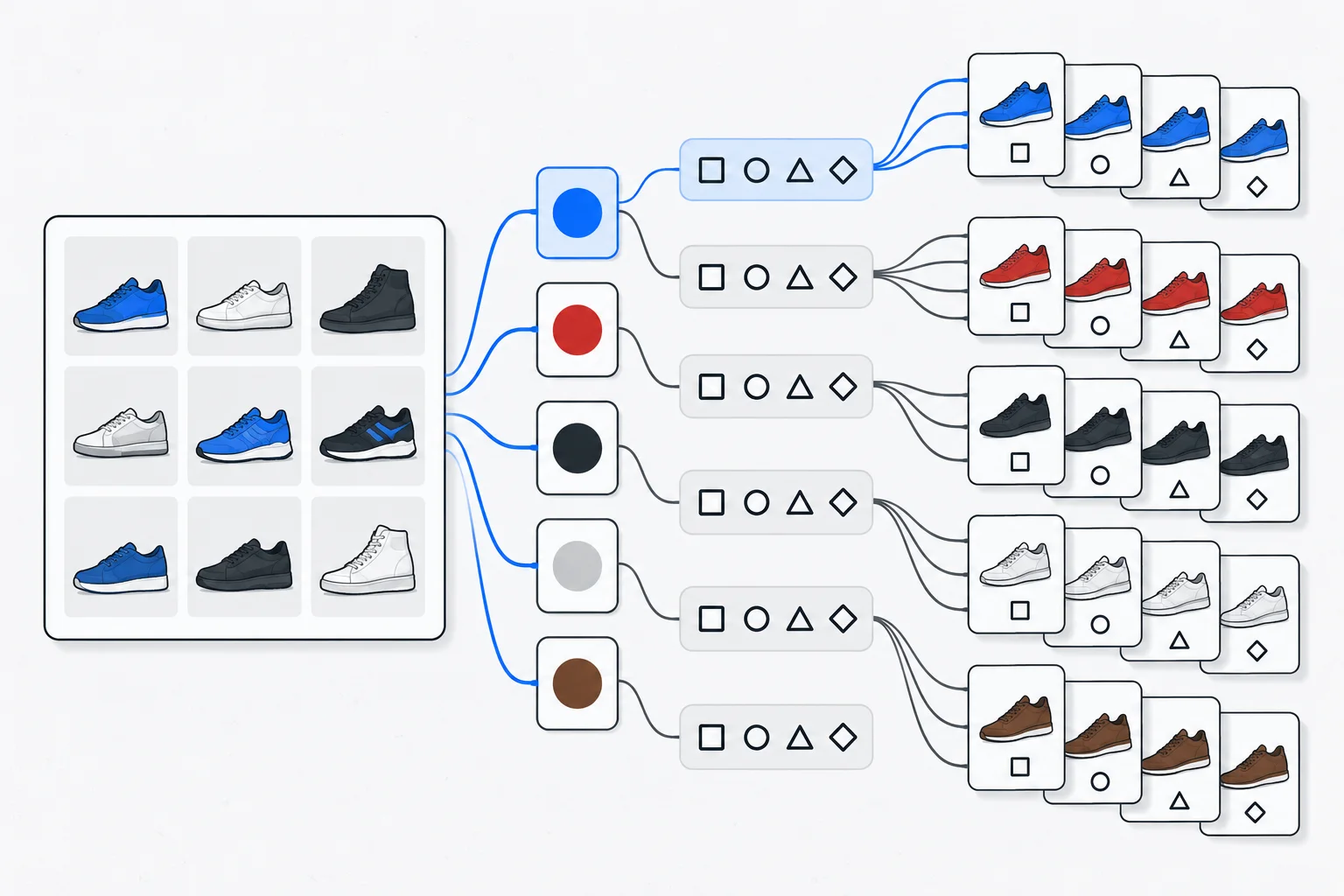
Faceted navigation lets visitors narrow a list using several attributes, such as size, colour and price. If each combination creates a separate URL, a relatively small collection of content can produce a very large number of crawlable addresses.
Also known as: Filter-based navigation · Faceted search navigation
At a glance
- Filters help visitors but can create unnecessary URL variations.
- Not every filtered list deserves its own search landing page.
- Limiting crawling and excluding a page from the index are separate decisions.
On this page
What makes navigation faceted?
A store might let shoppers combine shoe size, colour and price filters. An events website might offer location, date and subject filters. Several independent attributes narrow a list to relevant items.
Pagination shows the continuation of a list. Sorting rearranges the same items. These functions can be combined, but they represent different content states and deserve separate consideration in URL handling.
How a few filters multiply URLs
Five colours, eight sizes and four price bands already create many combinations. Sorting, page numbers and alternative parameter orders can multiply them further. Some combinations contain no products or offer no distinct answer.
Google documents how very large or unbounded URL spaces can cause excessive crawling and delay useful discovery. A crawler may need to request an address to discover that it was not worthwhile. Faceted navigation guidance
This can make crawl budget relevant for complex catalogues. A small service website with a few filters does not automatically have the same problem.
Which filtered pages deserve a search role?
Let user needs guide the decision. “Women’s running shoes” can represent a coherent shopping task. “Blue running shoes, size 37, within one narrow price band, sorted by name descending” requires a different assessment.
Keyword research can inform demand, but an estimate is insufficient. The page also needs suitable inventory, a stable URL and useful content. Programmatic SEO does not make every filter state worth publishing.
For selected search landing pages, use consistent URLs and meaningful internal links. URL structure guidance
Example: a lighting shop
Imagine a shop with 200 products and filters for room, style, colour and price. It identifies “kitchen pendant lights” as a stable buying need and maintains an edited category page with useful explanation and suitable products.
Other combinations remain browsing conveniences. Empty combinations are handled consistently rather than generating an unlimited sequence of apparently new lists. This distinction follows actual use; it is not achieved through one universal SEO switch.
Robots, noindex and canonical serve different purposes
Robots.txt controls access for cooperating crawlers. Noindex asks for exclusion from an index and must be accessible for the crawler to read. Blocking the request also prevents it from seeing that directive. Robots guidance
Canonical signals concern the preferred version among duplicate or similar pages. Do not automatically describe every distinct filtered selection as a duplicate of a general category.
Avoid overly broad intervention
Inspect generated URLs, actual crawler activity and discovery of important pages first. An unnecessary broad block can also affect useful categories.
Document which states have a public search purpose, which only support browsing, and how invalid or empty combinations behave. A category page helps compare products; a product variant may represent a size or colour of one product. Match URL handling to these different tasks.